The Grace Digital SXBR3 is the third generation of SiriusXM’s most popular streaming player. This player streams over 200 SiriusXM music channels and now supports Pandora Artist Radio. The player also supports remote scheduling, which means the SXBR3 can be set up to automatically change channels based on time and day settings. The Grace Digital SXBR3 is the most versatile player in the SiriusXM streaming lineup and is a great choice for businesses both large and small.
The Grace Digital BR3 player is the most affordable and easy-to-use way to get SiriusXM into your business.
Easy to install. Works like a regular car radio.
240+ SiriusXM Stations, Includes Pandora Artist Radio.
Connects Directly to Wi-Fi
Connects to any Mixer Amplifier we sell to stream music with no commercials to your business.
Here is the key specifications list formatted cleanly for your Squarespace product page:
Key Specs
Network Connectivity: Connects via Wi‑Fi; Ethernet capable for maximum reliability
Audio Outputs: RCA and 3.5mm analog outputs for direct connection to your mixer or amplifier
Channel Selection: Access to 240+ commercial-free business channels plus 100+ Xtra channels
Pandora Integration: Pandora Artist Radio included (access to 10,000+ customizable stations)
Installation: Simple 5‑minute plug‑and‑play setup
240+ Professional Stations Choose from 240+ music channels programmed by some of the best programmers.
100+ Xtra Channels Enjoy 100+ music channels made for any mood, occasion, or activity, available exclusively via the SiriusXM Streaming subscription.
Pandora Artist Radio 10,000+ Pandora Artist Stations that you can customize using thumbs up/down.
Central Portal Control Use the SiriusXM Portal to remotely access one player, or a group of players, from a central web interface.
1. Unbox the BR3 player and power on
Unbox the BR3 player and power it on.
2. Connect to Wi‑Fi (or Ethernet)
Connect to your local Wi‑Fi network (or use an Ethernet cable for maximum reliability).
3. Plug into your mixer/amp via RCA/3.5mm
Plug the player directly into your commercial mixer or amplifier using the included RCA or 3.5mm audio outputs.
4. Start streaming business‑licensed music
What’s in the Box
Grace Digital BR3 Player
Power supply
Ethernet cable
RCA/3.5mm audio cable
Quick start guide
The Grace Digital SXBR3 is the third generation of SiriusXM’s most popular streaming player. This player streams over 200 SiriusXM music channels and now supports Pandora Artist Radio. The player also supports remote scheduling, which means the SXBR3 can be set up to automatically change channels based on time and day settings. The Grace Digital SXBR3 is the most versatile player in the SiriusXM streaming lineup and is a great choice for businesses both large and small.
The Grace Digital BR3 player is the most affordable and easy-to-use way to get SiriusXM into your business.
Easy to install. Works like a regular car radio.
240+ SiriusXM Stations, Includes Pandora Artist Radio.
Connects Directly to Wi-Fi
Connects to any Mixer Amplifier we sell to stream music with no commercials to your business.
Here is the key specifications list formatted cleanly for your Squarespace product page:
Key Specs
Network Connectivity: Connects via Wi‑Fi; Ethernet capable for maximum reliability
Audio Outputs: RCA and 3.5mm analog outputs for direct connection to your mixer or amplifier
Channel Selection: Access to 240+ commercial-free business channels plus 100+ Xtra channels
Pandora Integration: Pandora Artist Radio included (access to 10,000+ customizable stations)
Installation: Simple 5‑minute plug‑and‑play setup
240+ Professional Stations Choose from 240+ music channels programmed by some of the best programmers.
100+ Xtra Channels Enjoy 100+ music channels made for any mood, occasion, or activity, available exclusively via the SiriusXM Streaming subscription.
Pandora Artist Radio 10,000+ Pandora Artist Stations that you can customize using thumbs up/down.
Central Portal Control Use the SiriusXM Portal to remotely access one player, or a group of players, from a central web interface.
1. Unbox the BR3 player and power on
Unbox the BR3 player and power it on.
2. Connect to Wi‑Fi (or Ethernet)
Connect to your local Wi‑Fi network (or use an Ethernet cable for maximum reliability).
3. Plug into your mixer/amp via RCA/3.5mm
Plug the player directly into your commercial mixer or amplifier using the included RCA or 3.5mm audio outputs.
4. Start streaming business‑licensed music
What’s in the Box
Grace Digital BR3 Player
Power supply
Ethernet cable
RCA/3.5mm audio cable
Quick start guide
 (585) 405-4375
 contact@echotonemusic.net




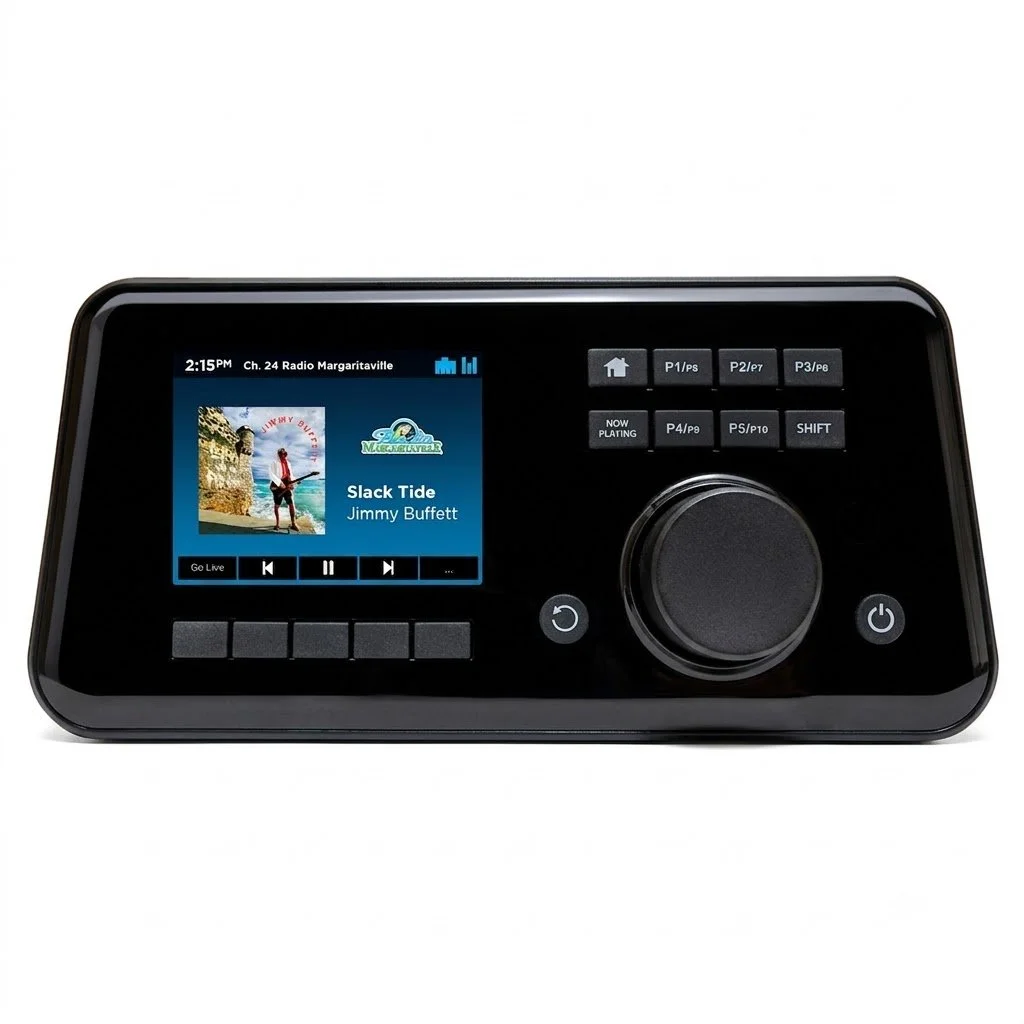 Image 1 of 3
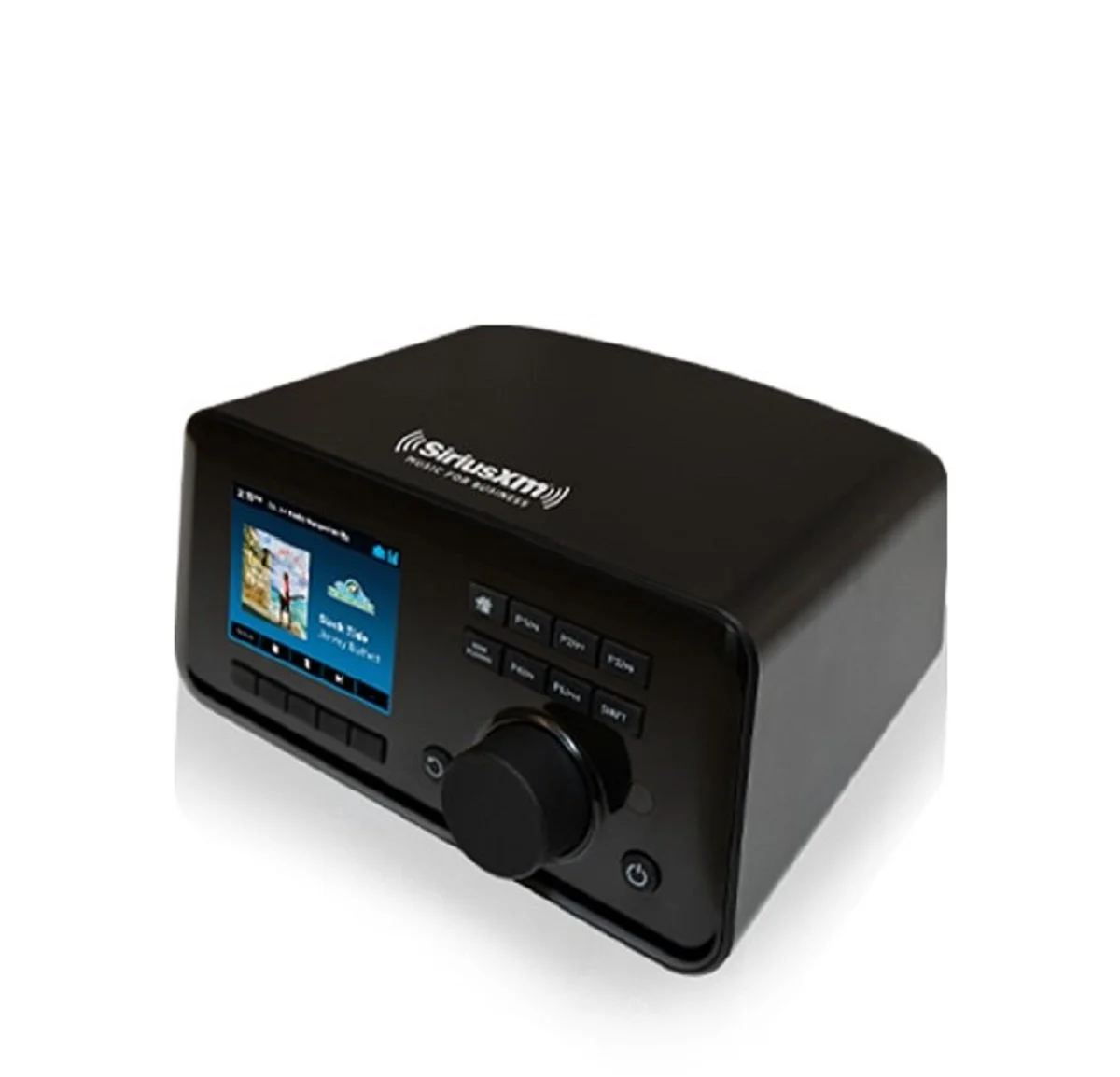 Image 2 of 3
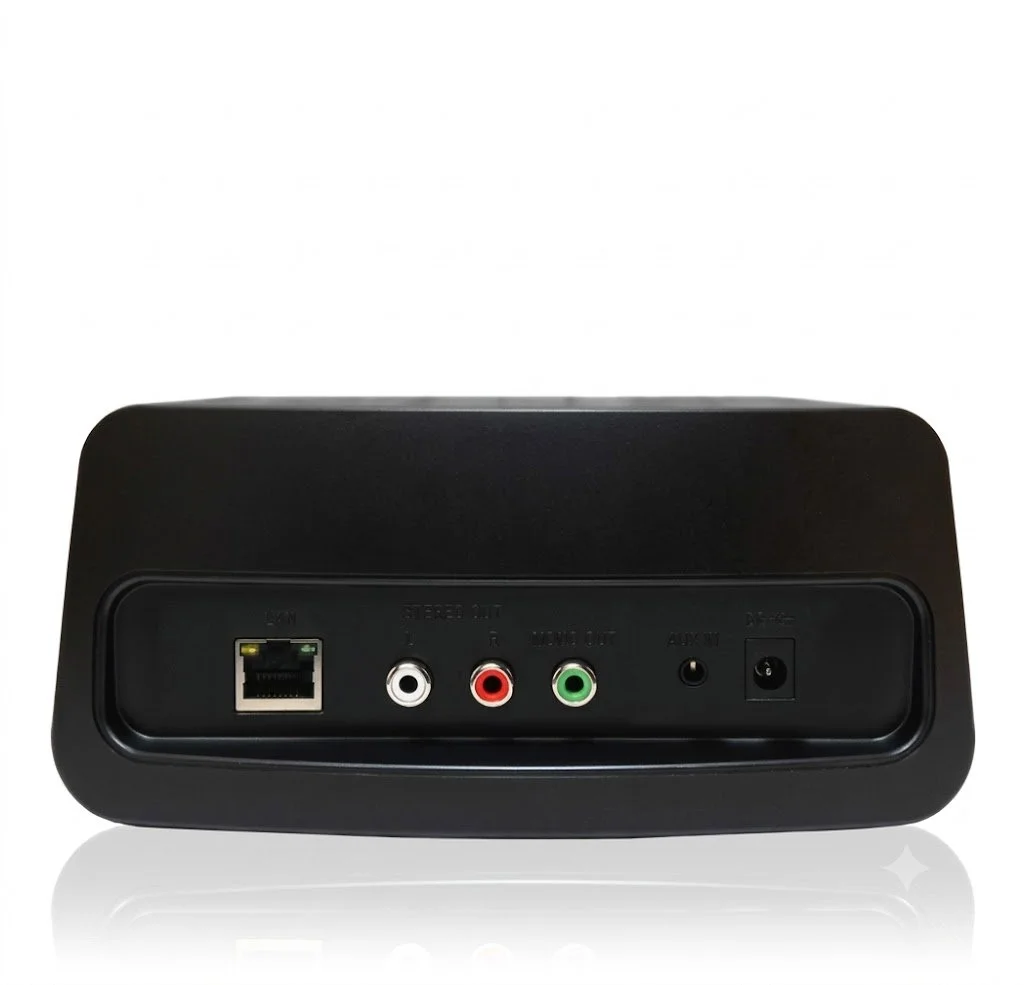 Image 3 of 3